How Many Core in Fiber Optic Cable? The Complete Guide to Choosing the Right Fiber Count
Sep 28, 2026
Leave a message
Last updated: September 28, 2026
TL;DR: If you are wondering how many core in fiber optic cable options you need, the short answer is 1 to 576, with most projects landing between 2 and 24. Plan two cores per device connection, add 10% to 20% spare, and pick the matching cable. This guide explains how many core in fiber optic cable counts fit each application, so you can buy once and scale without re-cabling.
A fiber optic cable contains anywhere from 1 to 576 cores. If you are asking how many core in fiber optic cable projects actually need, the rule professionals use takes under a minute: count two cores for each device connection, add 10% to 20% spare capacity, and round up to the nearest standard cable size. Most projects land on cables with 2, 4, 6, 8, 12, or 24 cores, while carrier backbones and large data centers climb to 48, 96, 144, or 288.
Those numbers are not guesses; they are the sizes the industry actually builds and buys every day. After more than two decades of manufacturing fiber optic and network cabling products at COBTEL, we have sized fiber counts for everything from single-camera installs to Fortune 500 data center projects. The counts change from job to job, but the counting method never does, and this guide hands that method to you in plain language.
In this guide, you will learn:
What a "core" actually is, and how cable makers count them
What each common count, from 1 core to 288 cores, is designed to do
The exact formula for sizing the fiber count in your own project
How to pick between 8-fiber and 12-fiber MPO designs, and how to choose a jacket that survives your environment
Glowing blue fiber optic strands illustrating the many cores inside a fiber optic cable
1. What Exactly Is a "Core" in a Fiber Optic Cable?
A fiber core is the thin glass or plastic thread inside the cable that carries light. One core carries one channel of data. The "core count" simply tells you how many of these glass threads are bundled inside one cable jacket.
Let's paint the picture. A fiber optic cable looks like a thick electrical cable from the outside. Inside, it holds one or many hair-thin strands of ultra-pure glass. Each strand has a light-carrying center (the core) wrapped in a reflective layer (the cladding) that keeps the light trapped inside. Light pulses flash through the glass and carry your data, whether that is a video call, a cloud backup, or an AI model training run.
Fan of yellow LC duplex fiber patch cords and one MPO connector on a fiber core banner
The material matters more than most buyers realize. High-quality glass cores carry signals for kilometers with almost no loss. This is why we obsess over fiber purity and precision in our own optical communication products: the glass inside decides how far and how clean your signal travels.
Here is the first counting rule you need: each connection usually needs two cores, one to transmit and one to receive. It works like a two-way road. One lane carries traffic out, and the other lane brings traffic back. The TIA-568 cabling standard that governs most commercial cabling in North America is built around this two-fiber transmit/receive model.
That said, the way cores are counted on a cable datasheet can confuse people, so here is how we explain it to new customers:
Simplex cable (1 core): one glass thread, one way of communicating at a time. Simple and slim.
Duplex cable (2 cores): two threads joined side by side, like a zipper. One transmits, one receives. This is the classic setup for connecting a switch, router, or server.
Branch (breakout) cables: count the branches, then multiply. For example, an MTP-8 trunk cable with 4 branches of 8 fibers carries 4 × 8 = 32 cores in total.
A quick note on the word "core," because it trips up even seasoned IT folks. In fiber talk, the core is the light-carrying glass thread, not the "conductor" in the copper sense. And one cable with 12 cores is not "12 times faster" than a 2-core cable. Think of cores as lanes on a highway, not the speed limit of each car. We will come back to that idea when we talk about speed later in this guide.
If you are mapping cores to actual hardware, start from the ports. Count the fiber ports on your switches, media converters, and servers, then match each port to a fiber patch cord with the right number of cores. That port-first habit is the foundation of every fiber count calculation we will show you later.
2. How Many Cores Does a Fiber Optic Cable Have?
A single fiber optic cable can contain anywhere from 1 core to 576 cores or more. The most common commercial counts are 2, 4, 6, 8, 12, 24, 48, 96, 144, and 288. Small counts (2 to 8) serve homes and edge devices, mid counts (12 to 96) serve buildings and campuses, and large counts (144 and up) serve carrier backbones and big data centers.
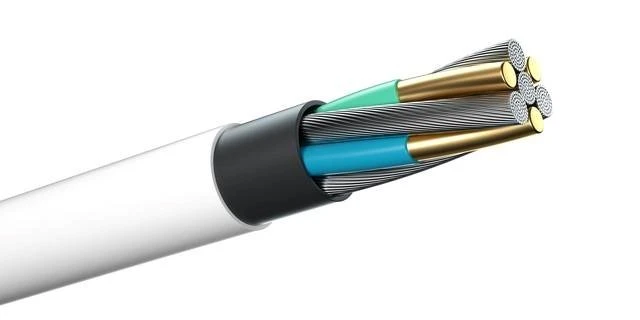
Cutaway of a multi-core fiber optic cable showing several fibers inside one jacket
There is no single "standard" count because the right number depends on the job. The industry sorts cables into three families: small core counts (2 to 8) for homes and edge devices, mid counts (12 to 96) for buildings and campuses, and large counts (144 and up) for carrier backbones and big data centers. Here is the count-by-count map we share with customers who are planning a new project:
Core count
Go-to applications
1 core
One-way links, FTTH home drops (paired with BiDi optics for two-way), EPON feeds (one fiber can serve up to 64 splits)
2 cores
The standard two-way device link: surveillance cameras, industrial networks, small offices
4 cores
Two active links plus spares; small offices and backup paths
6 cores
The floor distribution classic (2 in use, 2 spare, 2 redundant); campus LAN branches
8 cores
Small campus and office building backbones; Base-8 MPO runs in data centers
12 cores
Building communication rooms and smart building aggregation (the classic IBDN guideline)
24 cores
Between buildings, main distribution rooms, growing enterprise backbones
48 cores
Large enterprises, industrial parks, city distribution links
96 cores
Medium data centers and carrier regional rooms
144 to 288 cores
Carrier backbones, metro rings, 5G transport, large and AI data centers
576+ cores
National backbone routes and ultra-large data centers
One warning before you pick a number: bigger is not automatically better. Many buyers fall into the "more cores must be safer" trap. Extra cores cost real money on day one, take more rack space to terminate, and most of them will never carry a signal. Under-buying is costly too, but the fix is simple math (which we cover in a dedicated section below), not blind upsizing.
The smartest mindset is this: there is no single "best" core count, only the count that best fits your scenario. A 2-core drop cable is perfect for one camera. A 288-core backbone is perfect for a carrier's metro ring. Each is the "right" answer in its own world, and choosing well means matching the count to the actual demand.
3. Should You Choose Single-Mode or Multimode First?
Yes, always settle single-mode versus multimode before you pick a core count. Single-mode fiber has a tiny 9-micron core and carries data over long distances. Multimode fiber has a larger 50 or 62.5-micron core and carries high bandwidth over shorter runs at lower total cost. Distance decides the winner.
This is step one in every fiber project, and it comes before the core count conversation for a simple reason: the fiber type determines what your optics and patch cords must match. Only after you know the type does the count question make sense.
The physics here is easier than it sounds. Single-mode fiber has a core of about 9 microns in diameter, surrounded by 125-micron cladding. That is roughly ten times thinner than a human hair. The tiny core lets light travel in a single path, so the signal stays sharp over 10 km, 40 km, or even 100 km with the right optics. It is the go-to choice for telecom networks, campus-to-campus links, and anything outdoors.
9/125 single-mode APC fiber patch cord with FC connectors and an OFNR riser jacket
More than about 550 meters at 10G (or long outdoor runs): choose single-mode.
Short runs inside a building or data center: multimode usually wins on total cost, because its transceivers are cheaper even though the fiber itself can cost slightly more.
Six-core cables are a great example of how the two types split the work. Six-core single-mode cable shows up in telecom long-distance transport, fiber data transmission links, and data communication networks between sites. Six-core multimode shows up inside buildings where the same run must feed several short-reach ports.
One more practical tip from our factory floor: keep your patch cords consistent with the cable type, because a multimode cord on single-mode glass (or the reverse) creates loss surprises. If you are unsure how the two types compare in depth, we have a full walkthrough of single mode vs multimode fiber that covers cost, distance, and optics.
4. What Are 1-Core, 2-Core, and 6-Core Cables Used For?
One-core cables carry simple point-to-point links such as FTTH drops, basic Ethernet links, and digital video feeds. Two-core cables handle standard two-way links and dominate industrial networks. Six-core cables add backup and growth capacity, which makes them the workhorse for building distribution and small network backbones.
4.1 1-core fiber optic cable: the point-to-point specialist
Let's start with the lonely 1-core cable. Its use is fairly niche, but it is far from dead. You will still find it in FTTX deployments, simple Ethernet extensions, and digital video transport. In passive optical networks, one core is astonishingly efficient: in an EPON setup, a single fiber can be split to serve up to 64 optical ports through passive splitters, while GPON split capacity depends on the optical module you pair with it. Passive optical networks work exactly this way, feeding one fiber from the operator's central office out to as many as 64 or 128 homes through unpowered splitters. There is also a clever trick called BiDi (bidirectional) optics, which sends data both ways over one core using two different light wavelengths. That turns a single core into a full two-way link.
4.2 2-core fiber optic cable: the two-way standard
The 2-core cable is where most real-world links live. Compared with 1-core designs, it supports a much wider range of applications. It shines in FTTX rollouts, and it is the everyday standard in industrial networks, where a clean transmit/receive pair keeps PLCs, drives, and controllers talking without contention. When an engineer asks us for "just a simple link between two cabinets," a 2-core duplex cable with LC connectors is usually what ships. It maps perfectly to the one-lane-out, one-lane-back model, and you can browse typical duplex configurations in our fiber optic connectors range.
OM2 50/125 dual-core LC to LC multimode fiber patch cord in blue
4.3 4-core and 6-core fiber optic cable: small backbones with room to grow
The 6-core cable is the quiet hero of building cabling. It usually comes in two flavors, single-mode (9/125 micron) and multimode (62.5/125 or 50/125 micron), and it covers telecom long-haul links, fiber data transmission, and data communication networks. But its most famous role is inside buildings: the classic floor-distribution rule says each floor's wiring cabinet gets one 6-core fiber, split as two cores in use, two cores spare, and two cores for redundancy. Some teams upgrade that to an 8-core cable when they expect heavier growth.
That "2 + 2 + 2" pattern is worth memorizing because it captures how professionals think. You are never buying just for today's traffic. You are buying one part for now, one part for known upcoming needs, and one part for the surprises nobody can predict. Six and 8-core cables hit the sweet spot where this strategy costs almost nothing extra. Four and 6-core cables also enable a nice middle path for growing sites: run your active links today and keep a bidirectional backup link ready, which suits community building cabling, campus LAN branches, and small machine room interconnects.
5. What Makes 8-Core and 12-Core Cables the Data Center Favorites?
Eight-core and twelve-core cables dominate data centers because they pair with MPO/MTP connectors, the multi-fiber plugs that move 40G, 100G, and 400G traffic. The 8-core layout matches parallel optics perfectly with zero wasted fibers. The 12-core layout offers higher density and fits the huge installed base of 12-fiber MPO systems.
The 8-core cable has earned a strong technical reputation. It delivers low loss, low dispersion, a compact structure, and solid overall mechanical performance. In terms of construction, 8-core designs split into outdoor and indoor families. Outdoor cables come as central-tube or stranded types, with the stranded (loose tube) style being the more common of the two. Indoor 8-core cables mainly use a bundle-type construction that keeps the footprint small.
OM1 62.5/125 multimode MPO fiber patch cord with an OFNR jacket, factory terminated and tested
The 12-core cable shares most of the same types and technical traits. Its application scenarios are nearly identical, which is exactly why the two get compared so often. Following current market trends, the 12-core version is more popular overall, largely because the installed base of 12-fiber MPO infrastructure is enormous and new builds can piggyback on that ecosystem. Either way, both types ride on MPO patch cords, the push-pull multi-fiber connectors that make high-density cabling practical.
MPO connector with guide pins on an OM4 50/125 multimode Type A polarity cable assembly
So which should you pick? The answer depends on how your transceivers use fibers, and it is worth a careful comparison, which is exactly what the next section delivers.
6. 8-Fiber vs 12-Fiber Cable: A Side-by-Side Comparison
If you are choosing between 8-fiber and 12-fiber MPO cabling, the honest verdict is that 8-fiber systems match today's 40G and 100G transceivers with perfect efficiency, while 12-fiber systems offer higher connector density and compatibility with legacy deployments. Neither is universally "better," and the right choice depends on whether your priority is optics efficiency or raw density.
The key fact that drives everything: most 40G and 100G short-reach transceivers (like 40G-SR4 and 100G-SR4) use exactly 8 fibers, four to transmit and four to receive. On a 12-fiber trunk, four of those fibers sit idle for every such link. As connector maker SENKO explains in its analysis of choosing between Base-8 and Base-12 cabling systems, a Base-8 channel supports up to three parallel optics links, while a Base-12 channel can support only two, because Base-12 wastes four fibers on each duplex-style connection.
Pinless MPO to LC breakout fanout cable in OM3 multimode for server to switch link aggregation
Here is how each side stacks up:
The 8-fiber advantages:
100% fiber utilization. Every one of the 8 cores in the trunk feeds the transceiver system. Nothing idles, so nothing is wasted.
No conversion penalty. If a project ever needs to adapt, 12-fiber to 8-fiber conversion devices add no extra cost and no extra insertion loss, so bridging the two worlds stays painless.
Easy routing. Breakout patch cords route comfortably to the ports of every common switch line card, including both 8-fiber and 12-fiber layouts.
Simple polarity anywhere. Any connection in the link only needs pinless (female) MTP patch cords, which keeps spares simple.
Most flexible for migration. Base-8 is the most flexible solution for 40G, 100G, and 400G transmission networks, and it paves the cleanest road to future speeds.
The 12-fiber advantages:
Higher density per connector. A 12-fiber connector packs 50% more fiber into the same footprint, which matters when rack real estate is tight.
Legacy compatibility. It fits the massive installed base of 12-fiber MPO deployments, so expansions can reuse existing trunks, panels, and playbooks.
Put simply, 12-fiber connection technology wins on connector density, which lets teams install large amounts of fiber faster. But here is the twist that decides most modern projects: because 40G and 100G line deployments are so widespread, and those lines run on 8-fiber transceivers, keeping the trunk fiber count matched to the transceiver fiber count beats the density advantage in most cases. Wasted fibers in a 12-fiber trunk are density you paid for and cannot use.
In our own projects, the split looks like this. New AI cluster builds aimed at 400G and beyond usually go Base-8 end to end. Older environments with a deep 12-fiber MPO investment tend to stay on Base-12 and bridge to 8-fiber optics with conversion harnesses, including the common MPO 24-fiber to 2 × MPO 12-fiber conversion assemblies our factory terminates and tests before shipping. If you want the full background on how these connectors work, our complete MPO cable selection guide covers connector types in depth, and our MPO fiber connector polarity guide explains the A, B, and C polarity methods that keep transmit and receive aligned end to end.
MPO 24-fiber to two MPO 12-fiber conversion cable in OM5 multimode with an OFNR jacket
7. When Do You Need 24-Core, 48-Core, or Even 288-Core Cables?
Choose 24 to 96-core cables when you are building aggregation and backbone links that serve hundreds of terminals, and step up to 144, 288, or 576 cores for carrier backbones, metro networks, and large data centers. The higher the count, the fewer individual cables you pull, which saves duct space, improves airflow, and cuts both installation and operating costs.
7.1 24-core and 48-core cables: the consolidation sweet spot
Let's start with the gateway count: 24 cores. It is not the largest count available, but it comfortably meets most everyday needs, and it is the classic choice between buildings. The real magic of moving to 24 cores (or beyond) is consolidation. Increasing the core count in a single cable sharply reduces the number of separate cables you deploy, which saves space, reduces congestion in trays and ducts, and improves ventilation and heat dissipation. That better airflow translates into real energy efficiency gains in the rooms where your data center cabinets live. Higher counts also raise the effective density of your optical distribution frames, simplify handling, and reduce total cost.
Open optical distribution frame showing a green splice tray with fusion splices and pigtails
7.2 12 to 96-core cables: the industry mainstream
The medium family (12, 24, 48, 96) is the industry mainstream, and each step has a personality:
12-core is the base model of the medium family. It is widely used as the backbone for towns and business parks, and for aggregation cabling in enterprise machine rooms and smart buildings. It happily carries voice, data, and video at the same time, and its cost-to-capacity ratio is excellent.
24-core and 48-core are the first choice for medium-to-high density distribution. They fit city access networks, large enterprises, and industrial park backbone links. A single 24 or 48-core cable can serve hundreds of terminals, and compared with pulling several small cables, it cuts installation cost and duct space dramatically.
96-core serves aggregation and interconnect in medium data centers and carrier regional rooms, supporting massive terminal counts and high-speed transport.
7.3 144 to 576+ core cables: backbone territory
The large family (144, 288, 576+) is all about high density and big capacity. The 144 and 288-core cables are the mainstream choice for carrier backbones and metro networks, moving huge volumes across regions and supporting 5G midhaul and backhaul, cloud platforms, and big data services. To grasp the scale, do the simple math: if each fiber pair carries one 100G service, a 288-core cable holds 144 pairs, which is over 14 Tbps of potential capacity in one jacket. At 576 cores and above, cables serve ultra-large data centers and national backbone projects, enabling the massive east-to-west data transport schemes and gigabit-to-the-home programs that span entire countries.
7.4 2 to 8-core cables: the last-mile heroes
The small counts at the bottom of this ladder deserve respect too, because they are the "last mile" heroes. Two-core cables focus on minimalist transmission: mostly single-mode, light in the hand, quick to lay, and ideal for FTTH home drops, surveillance cameras, and small office networks. Four and 6-core versions add capacity for bidirectional transmission and backup links, fitting residential community cabling, campus LAN branches, and small machine room interconnects. Eight-core cables carry small campus and enterprise office backbones, balancing multi-service transmission against future upgrades. These small cables typically use stranded constructions with small outer diameters and low cost, which is why installers love them for the edge of the network.
One rule ties this whole section together: match the count to the demand, and always reserve room to grow. Pick small counts (2 to 8) for edge access where cost and convenience rule. Pick medium counts (12 to 96) for aggregation where capacity and value must balance. Pick large counts (144 and up) for backbone routes where high speed and huge volume justify the investment. Also weigh how the cable will be laid (aerial, duct, or direct burial), the transmission distance, and the environment. Blindly chasing big counts wastes money, while undersized counts make future upgrades painful.
8. How Many Fiber Cores Do You Actually Need?
Here is the formula professionals use: count your device connections, allow two cores per full two-way link, add 10% to 20% spare, then round up to the nearest standard cable size. As a rule of thumb, each terminal needs one fiber, most practical designs run two cores per terminal, and multiplexing can shrink the total.
Three key factors drive the number: your device count, your budget, and the standards you must follow. Let's turn each into plain arithmetic.
Factor 1: Count your devices and how they talk. Every network device typically needs at least two fiber cores, one for sending data and one for receiving. So the baseline count is simple: connecting 10 devices needs at least 20 cores. Two things can adjust that number. If your equipment supports serial communication or multiplexing, you can reduce the required cores. And the communication pattern matters too: a simplex patch cord (1 core) suits one-way data flows, while a duplex patch cord (2 cores) is the standard for two-way communication between switches, routers, and servers.
There is an even simpler rule of thumb that field engineers use: count the terminals. In general, how many terminals you have is how many cores you need. Real-world plans and installs add redundancy, so teams usually provision two cores per terminal. Budget-conscious projects instead add one or two spare cores to the whole run.
For example, if you have three fiber access switches, you need three cores, which in practice means buying a 4-core cable. And while it is technically possible to daisy-chain multiple terminals on one core, we do not recommend it for long runs: the extra fusion splices raise signal loss noticeably and limit distance. If loss budgets are new to you, our guide to understanding and calculating fiber optic loss shows the math.
Factor 2: Work out your switch topology. First, count how many wiring points you have on each floor, then calculate how many switches that requires, and decide whether the switches will stack (act as one unit) or not. This single decision changes the count:
If the switches stack, and the core switches run as a dual hot-standby pair, 6 cores are enough: 2 cores for each of the two core switches, plus 2 cores of redundancy.
If they do not stack, each switch needs 4 cores, so multiply the number of switches by 4 and add 4 cores of redundancy.
The classic IBDN building guideline rounds this out nicely: about 12 cores for each communication room inside a building, and 24 cores (or 48 in bigger designs) between buildings. Those numbers align with mainstream TIA-568 structured cabling practice, which is why they keep appearing in tenders and drawings decades after they were first written down.
Factor 3: Balance cost against future growth. More cores mean a higher initial cost, that is unavoidable. But the full picture is friendlier: choosing a suitably higher count now avoids ripping out and replacing cable when the network expands, which is far more cost-effective over the cable's 15 to 25 year life. When budget is tight, find the balance point between today's demand and tomorrow's expansion, and lean toward the spare side. Fiber itself is cheap; re-pulling it through a full conduit is not.
Let's put it all together with a real example from the field. Say one optical node must serve two systems: a network link and video surveillance. The network route needs one full-duplex link, which takes 2 cores. The surveillance system has 4 camera channels that share 1 core. That is 3 cores of real demand from the machine room to this node. Following the redundancy habit, you design the route with a 6-core cable, leaving 3 cores spare, and pull a single 6-core single-mode cable to the node. One pull, one cable, room to grow. That is exactly how experienced designers turn a wish list into a clean bill of materials.
9. How Do You Choose the Right Fiber Optic Cable Jacket?
Match the jacket to the environment: use armored cable for direct burial, tough black outdoor jackets with multiple strength members for aerial runs, and fire-rated indoor jackets based on the space the cable passes through. Vertical building runs suit stranded constructions, while horizontal runs suit breakout designs. Getting the jacket right protects everything else you have planned.
Once you have chosen the fiber type and the core count, the jacket is the third big decision, and it decides whether your cable survives its working life. Here are the placement rules we have trusted on projects for years:
Outdoor direct burial: choose armored fiber. The steel armor resists crushing, moisture, and the occasional shovel or rodent encounter.
Aerial installations: choose cable with a black outdoor (polyethylene) jacket that includes two or more strengthening members to handle years of wind, sun, and tension.
Riser routes between floors: choose riser-rated (OFNR) cable, which resists flame rising through vertical shafts. Where budgets allow, OFNP can substitute anywhere OFNR is used, but not the other way around.
Vertical wiring inside buildings: use stranded (loose tube) constructions, which handle the mechanical demands of long vertical runs.
Horizontal wiring inside buildings: use breakout-style fiber, whose individually jacketed fibers stand up to frequent handling at the work area end.
Those last two rules connect the jacket choice back to cable anatomy. Stranded and breakout constructions distribute stress differently, and matching them to the run direction prevents a lot of field pain. The Fiber Optic Association's cable reference is a solid deep dive if you want the full construction catalog, from simple zipcord to high-count ribbon designs.
In our own production, jacket and rating questions come up daily, and we test patch cords with OFNR riser jackets and ceramic-ferrule connectors against strict building codes before they ship. Our rule for customers is simple: when a run passes through air-handling spaces, spend on OFNP; when it drops through a riser, OFNR does the job; when international or enclosed-space rules call for it, low-smoke-zero-halogen (LSZH) jackets add another layer of protection. If you want to see how jacket ratings compare across copper and fiber, our guide to cable jacket materials and fire ratings lays it out side by side.
A final outdoor tip: whatever jacket you choose, protect the pathway itself. Planning the route through proper fiber optic conduit keeps direct burial and duct runs serviceable for decades, and it makes every future core upgrade far easier.
10. Why Does Choosing the Right Core Count Matter?
The right core count protects your network's capacity, your budget, and your ability to scale. Fiber cores directly determine how much data your infrastructure can move and how easily it grows. Choose correctly, and your network handles today's traffic plus tomorrow's expansion without a single re-pull.
Fiber optic cable is the key component that carries high-speed, reliable data in modern networks, and the core count is one of its most important characteristics, directly shaping network capacity and performance. That is why this decision deserves real attention rather than a guess in a procurement meeting.
The cost angle deserves special attention. Every extra core raises the initial bill, but a thoughtful spare margin is the cheapest insurance in networking. Replacing a cable mid-life means new pulling labor, new permits, disrupted operations, and sometimes a closed ceiling or an opened trench. Choosing well up front avoids all of that, and it keeps the network scalable as your needs grow.
The operational angle matters just as much. Consolidating many small cables into fewer high-count cables frees tray space, reduces congestion, and lets air move freely, which lowers cooling energy in dense rooms. It also raises the practical density of your panels and frames, making day-to-day moves, adds, and changes simpler for your team.
Server rack with optical distribution frames patched using yellow fiber patch cords
In our experience supplying 400G, 800G, and 1.6T solutions for AI data centers, the projects that age well all share one habit: they planned fiber counts for the second and third generation of equipment, not just the first. The cable in the wall outlives four rounds of switch upgrades, so treat the count as a long-term asset.
11. Our Core Count Recommendations by Application
Match the count to the scenario: use 1 to 2-core patch cords for single devices, 6 to 12-core cables for floors and small buildings, 24 to 48-core cables for building and campus backbones, 96-core for aggregation rooms, and high-density MPO trunks for modern data centers. When in doubt, size for growth, not just for day one.
Here are the field-tested recommendations we give customers across the most common project types, drawn from two decades of manufacturing and project support.
Enterprise networks. For connecting switches, routers, and servers, 1-core and 2-core fiber patch cords provide stable, high-speed links device by device. For the fixed pathways that tie equipment rooms and floor cabinets together, indoor multi-core cable in 12-core or 24-core sizes is the sweet spot: enough capacity for medium bandwidth demands, with strong scalability as floors fill up. Remember the floor-cabinet rule of thumb (6 cores per floor cabinet: 2 in use, 2 spare, 2 redundant) and the switch math from earlier (stacked: 6 cores total; non-stacked: 4 per switch plus 4 spare), and your count will practically write itself.
Fiber patch panel in a server room connected to a switch with blue LC duplex fiber patch cords
Data centers. Four tools cover nearly every need. Simplex patch cords (1 core) handle one-way flows such as monitoring and broadcast feeds, and they pair with BiDi modules to carry two-way traffic on a single core when port counts demand it. Duplex patch cords (2 cores) are the standard two-way connection for switches and routers. High-density MTP/MPO multi-core cables are essential for dense cabling, efficient speed migration (think 40G to 100G to 400G), and large-scale rack-to-rack connectivity; as a rule, newer AI-oriented rows favor Base-8 trunks that match modern transceivers. Uniboot patch cords (2 cores in one slim cable) use a space-saving design for high-density interconnects and visibly reduce cable clutter, which your cable managers will thank you for. For shorter rack-level runs, our DAC and AOC cables often beat optical transceivers on cost and power inside the same row.
Campus and multi-building sites. Between buildings, start from the link list, not the catalog. Each switch-to-switch link takes 2 cores, add your redundancy (usually 2 to 4 cores), and round up to the nearest standard size, which lands most inter-building runs at 12, 24, or 48 cores. That lines up neatly with the classic guideline of 24 cores between buildings, with 48 for heavier multi-service routes.
Service providers and FTTH. From the street cabinet outward, small counts rule: 2-core drops to homes and businesses, 4 and 6-core feeds for small clusters, and 8-core for small distribution points. Back toward the core, aggregation climbs through 48, 96, and 144-core cables. Remember that PON multiplexing stretches every core further, since one feeder can serve up to 64 subscribers through passive splitters.
Industrial and surveillance projects. Two-core cables are the default for industrial network links between controllers and switches. For camera counts, count channels: a node serving a network route (2 cores) plus four surveillance channels (1 core) needs 3 cores of active capacity, so a 6-core cable gives you a comfortable 3-core redundancy, exactly as in our worked example above.
Scenario
Recommended count
Why it fits
Single device link
1 to 2 cores
One TX/RX pair, minimal cost
Floor distribution
6 to 8 cores
2 active + 2 spare + 2 redundant pattern
Building backbone
12 to 24 cores
Multi-service, matches IBDN/TIA practice
Campus between buildings
24 to 48 cores
Hundreds of terminals, duct savings
Medium data center / aggregation
48 to 96 cores
Massive terminal support, consolidation
Carrier backbone / large DC
144 to 288+ cores
Terabit capacity, 5G and cloud transport
High-density AI cluster
Base-8 MPO trunks
100% transceiver utilization, 40G/400G ready
Whatever your scenario, the last mile of quality is the cable itself. Our small-count cables use high-purity fiber and precision stranding for easy laying, our medium-count cables balance capacity and cost with stable, interference-resistant structures, and our large-count cables add full water-blocking and armored protection for low-loss, high-reliability backbone service. Every assembly is factory-terminated and 100% tested before shipment, which is why Fortune 500 partners such as Schneider trust us with their projects, and why we back our products with industry-leading warranties and engineering support.
12. Conclusion: Get the Count Right, and Everything Else Gets Easier
So, how many core in fiber optic cable plans are enough? Here are the three takeaways that matter most.
First, cores are lanes, not speed limits: most two-way links need two cores, and capacity grows with the number of channels. Second, let the scenario set the size: 2 to 8 cores for the edge, 12 to 96 for buildings and aggregation, 144 and beyond for backbones, with Base-8 MPO trunks in modern data centers. Third, always buy with margin: 10% to 20% spare is the difference between a network that scales and one that gets re-cabled.
If you are still unsure which count fits, send us your device list and layout through the inquiry form at the bottom of this page. Our engineers have been running these counts since 2006, and we'll size your network for today and everything after it.
Frequently Asked Questions
Q1: How many cores are in a typical fiber optic cable?
Most commercial fiber optic cables contain between 2 and 24 cores, which covers home drops, building risers, and campus backbones. The full commercial range runs from 1 core up to 576 cores or more. Small counts (2 to 8) serve devices and edge links, medium counts (12 to 96) serve buildings and aggregation points, and large counts (144 to 288 and above) serve carrier backbones and large data centers.
Q2: Does a higher core count make a fiber cable faster?
No. The speed of any single link is set by the optics at each end, not by the number of cores in the cable. Core count works like lanes on a highway: more lanes carry more simultaneous traffic, but each car's speed limit stays the same. A 2-core cable running 400G optics moves a single 400G link just as fast as one pair inside a 288-core cable.
Q3: Should I choose an 8-fiber or a 12-fiber MPO backbone?
Pick Base-8 for new builds aimed at 40G, 100G, and 400G parallel optics, because those transceivers use exactly 8 fibers, so every core works and nothing is wasted. Pick Base-12 when you need maximum connector density or you are expanding a legacy 12-fiber MPO installation. Many brownfield projects stay on 12-fiber trunks and use conversion harnesses to feed 8-fiber optics without extra insertion loss.
Q4: How many fiber cores do I need to connect two buildings?
Count the links first: each full two-way link needs 2 cores, so two non-stacked switch links need 4 cores, plus about 4 cores of redundancy, which rounds up nicely to a 12-core cable. The classic building guideline suggests 24 cores between buildings for multi-service routes with growth in mind. List your current links, add the spare margin, and buy the nearest standard size above it.
Q5: What happens if I install too few or too many cores?
Too few cores forces an expensive re-pull through full conduits, with downtime and labor that can dwarf the original cable savings. Too many cores ties up budget in glass that may never carry a signal and consumes rack and panel space. The balanced habit is to provision for current links, add 10% to 20% spare, and round up to the nearest standard count.