Fast Ethernet vs Gigabit Ethernet Cable: Key Differences
Jun 04, 2025
Leave a message
In modern networks, Fast Ethernet and Gigabit Ethernet cable are two prevalent wired LAN standards. In today's article I will compare their performance characteristics and provide a selection guide to help you understand their key differences and optimal use cases.
1. Gigabit vs. Fast Ethernet Cables: Key Differences
Gigabit Ethernet cables (1000Mbps) are designed for Gigabit networks, while Fast Ethernet cables (100Mbps) serve Fast Ethernet networks. By cable category:
Gigabit: Typically Cat6 cables or Cat5e cables.
Fast Ethernet: Usually referred to Cat5 cables.


Cat5e cables are standard for Fast Ethernet (e.g., desktop switch-to-PC connections). While usable for Gigabit networks, they require costly components, making Cat6 the smarter choice. Cat6 cables seamlessly support both Gigabit and Fast Ethernet. For future-proofing, install Cat6 cabling upfront to avoid rewiring during upgrades.
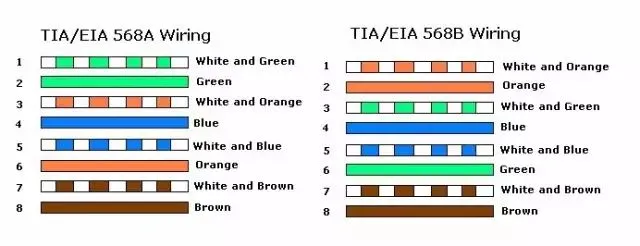
Fast Ethernet signal transmission uses only four twisted pairs:
Orange-white
Orange
Green-white
Green
The remaining four pairs are idle but physically present. Though 8-pair cabling is ideal for stable long-distance transmission, most routers still use 4-pin connectors without major issues.
Gigabit networks demand all eight pairs for full-duplex communication-four pairs alone can't handle simultaneous sending/receiving. Always pair Gigabit cabling with a Gigabit router (8-pin ports).
2. Cat5e vs. Cat6 Cables: Performance Breakdown
Cat5e:
Lower attenuation and crosstalk vs. Cat5.
Higher ACR (Attenuation-to-Crosstalk Ratio) and Structural Return Loss (SRL).
Reduced delay skew for improved performance.
Cat6:
Frequency range: 1MHz–250MHz; double the bandwidth of Cat5e at 200MHz PS-ACR.
Optimized for >1Gbps applications with superior crosstalk and return loss performance-critical for full-duplex high-speed networks.
Topology: Star configuration with max lengths:
Permanent link: 90m
Channel: 100m
Structural Differences:
|
Feature
|
Cat5e
|
Cat6
|
|---|---|---|
|
Core Design
|
Four twisted copper pairs
|
Cat6 cable usually added cross-shaped spline* to reduce crosstalk
|
|
Copper Gauge
|
0.45–0.51mm
|
Thicker 0.52–0.58mm cores
|
*The vast majority of Cat 6 Ethernet cables incorporate a cross-shaped separator, while only a small fraction that meet Cat 6 specs utilize either a flat separator or none at all.

3. Identifying Speed via Device LEDs
As illustrated below, each network port features two green LEDs (left and right). The left LED indicates 100Mbps speed, the right indicates 10Mbps, and when both illuminate, this denotes a Gigabit (1000Mbps) connection. Note that the Gigabit LED will only light up when the switch, cable, and connected device all support Gigabit Ethernet (1000Mbps).

4. Crossover Wiring Standards Differences
Crossover Wiring Standards
|
End A (568B)
|
End B (Gigabit-Modified)
|
|---|---|
|
1 Orange-white
|
1 Green-white
|
|
2 Orange
|
2 Green
|
|
3 Green-white
|
3 Orange-white
|
|
4 Blue
|
4 Brown-white
|
|
5 Blue-white
|
5 Brown
|
|
6 Green
|
6 Orange
|
|
7 Brown-white
|
7 Blue
|
|
8 Brown
|
8 Blue-white
|
5. Bandwidth Differences
Gigabit Ethernet cables offer significantly greater bandwidth-typically 250 MHz or higher-compared to Fast Ethernet cables' 100 MHz capacity. This bandwidth differential directly impacts network transmission capability and efficiency. The enhanced bandwidth of Gigabit cables allows them to handle substantially more data traffic, delivering faster transmission speeds and reduced latency.
6. Long-Distance Transmission
Gigabit Ethernet cables demonstrate superior performance in extended-range applications. They maintain high-speed data transmission with minimal signal attenuation and distortion, whereas Fast Ethernet cables may experience signal degradation over longer distances. For remote cabling or connections exceeding 100 meters, Gigabit cables emerge as the clearly superior solution.
7. Backward Compatibility
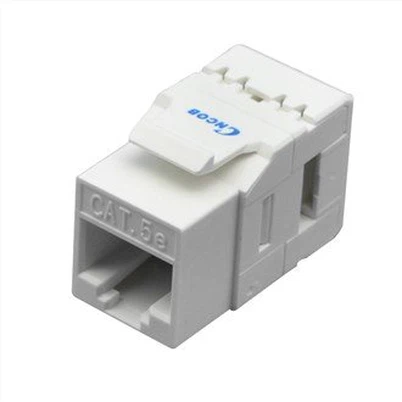
Both Gigabit and Fast Ethernet cables utilize identical RJ45 plugs, ensuring full physical backward compatibility. While you can connect Gigabit devices to Fast Ethernet infrastructure, throughput will always be constrained by the slowest network component. To fully leverage Gigabit capabilities, all network components-including switches and endpoints-must support Gigabit speeds.
8. Cost Considerations
Fast Ethernet cables remain more budget-friendly, while Gigabit cables command a modest premium due to their enhanced speed and bandwidth capabilities along with stricter manufacturing requirements. However, with recent technological advancements driving prices down, Gigabit solutions are rapidly becoming the preferred choice for most installations across the U.S. market.
9. RJ45 Connectors Comparison: Fast Ethernet vs. Gigabit Ethernet Cable
Key Differences:
Pin Layout: Cat6 connectors use staggered rows (top/bottom); Cat5e connectors uses straight-line alignment.
Copper Fit: Thicker Cat6 wires require larger connector apertures (0.52–0.58mm vs. Cat5e's 0.45–0.51mm).
Crimping Method? Identical. Always test with a cable tester post-crimping!

10. Guide to Selection:
When choosing between Gigabit Ethernet cables and Fast Ethernet cables, consider the following factors:
10.1 Speed and bandwidth requirements:
If you need high-speed data transmission and higher bandwidth, Gigabit Ethernet cables are the preferred choice. Otherwise, Fast Ethernet cables may be sufficient.
10.2 Long-distance transmission:
If you require reliable performance for long-distance cabling or connections exceeding 100 meters, Gigabit Ethernet cables are the better choice.
10.3 Device compatibility:
Ensure that all devices in the network (such as computers,ethernet switches, and routers) support the corresponding cable standards to maximize performance.
Budget constraints: However, considering budget constraints, Fast Ethernet cables are less expensive, while Gigabit Ethernet cables are slightly more expensive.
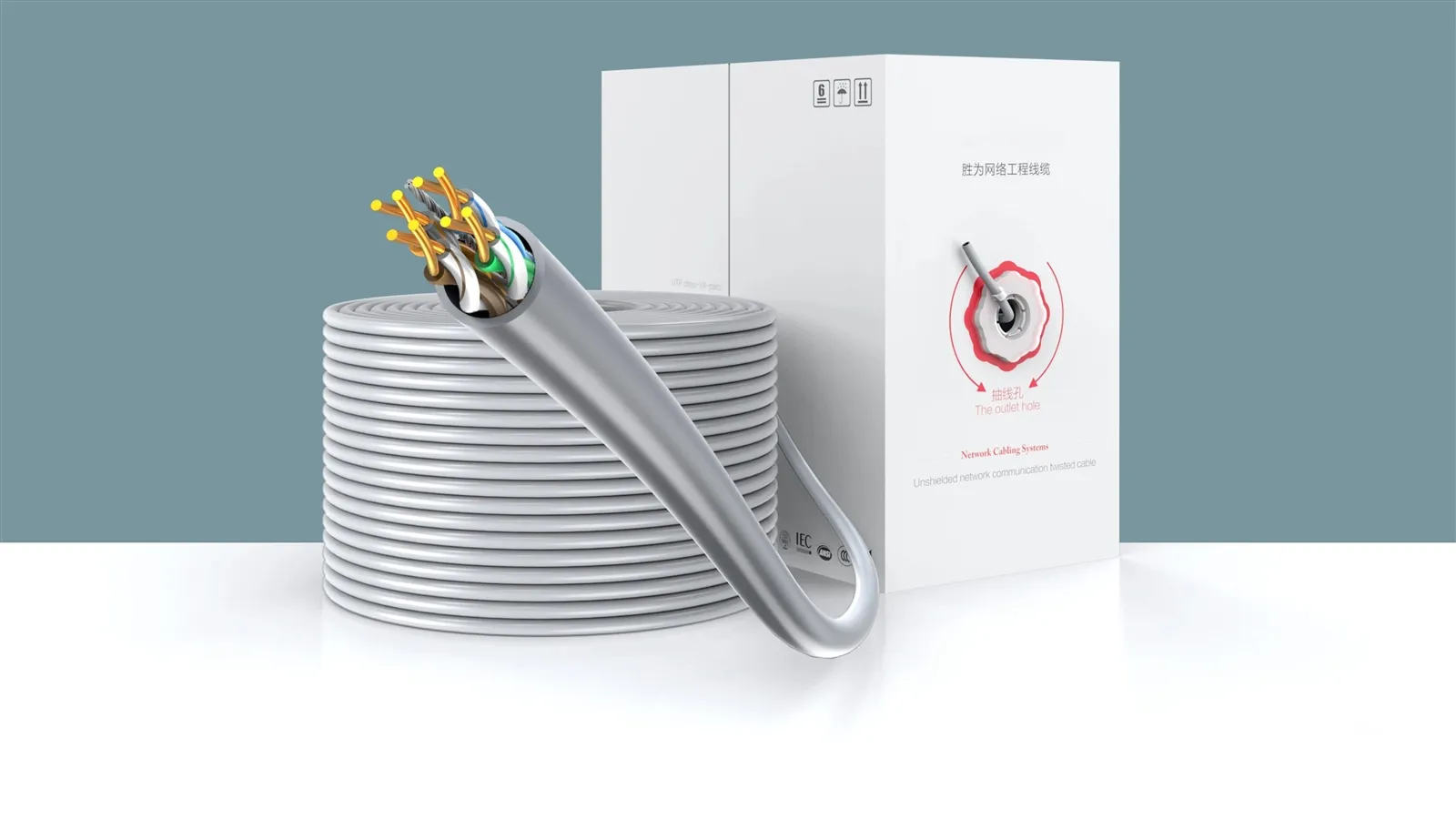
In modern networks, Gigabit Ethernet (1000Mbps) and Fast Ethernet (100Mbps) are two prevalent wired LAN standards. Our team at Shengwei will compare their performance characteristics and provide a selection guide to help you understand their key differences and optimal use cases.
11. To summarize:
These cable standards serve distinct purposes. Gigabit Ethernet cables deliver:
• Higher speeds (up to 1000Mbps)
• Greater bandwidth capacity
• Longer transmission distances
• Higher speeds (up to 1000Mbps)
• Greater bandwidth capacity
• Longer transmission distances
Ideal for high-bandwidth applications like media streaming or large file transfers. Whereas Fast Ethernet cables better suit basic network setups in homes or small offices with modest requirements.
When choosing between them, consider both your technical needs and budget constraints.
Previous:No Information