Three Common Issues in Surveillance Projects and How to Fix Them
Leave a message
I. Monitoring Screen Lag
Reason 1: Camera Issues
Network camera manufacturers may have inherent technical flaws, causing the cameras to experience significant delays after prolonged operation, far surpassing the delay time stipulated by national standards. This makes the footage appear jerky. Only by cutting power to the camera can it return to normal. It is recommended to choose well-known brands with reliable after-sales service for surveillance equipment.
Reason 2: Insufficient Decoding Capability of the Decoder
For customers using network high-definition digital video recorders (DVRs) for display and storage, the decoding capability of the DVR also affects the smoothness of the video. If the number of connected screens exceeds the maximum decoding capability of the decoder, or if the core chip of the DVR is not powerful enough, it can lead to screen lag.
Reason 3: Insufficient NVR Resources
In many surveillance projects, NVRs are often fully loaded or connected with cameras of excessively high resolution, exceeding the NVR's capabilities. This can cause insufficient NVR resources, leading to screen lag or non-display. Reducing the bit rate or the number of connected devices can help resolve this issue.
Reason 4: Poor Quality or Excessive Distance of Network Cables
Using low-quality network cables that are not made of oxygen-free copper. Standard national network cables should not exceed 100 meters in recommended transmission distance. Poor-quality cables significantly degrade transmission performance. If inferior cables are used, the initial footage may be normal, but as the lines oxidize and decay, signal transmission loss, intermittent connection, and screen lag may occur. It is advisable to choose high-quality national standard network cables during construction and test the resistance over 100 meters to assess cable quality.
Reason 5: Improper Selection of Ethernet Switches and Network Structure
If a non-wire-speed switch is chosen, it can cause screen lag. When selecting ethernet switches, one should not only consider packet forwarding rate and backplane bandwidth, especially for core switches. Many domestic manufacturers exaggerate these two data points, failing to reflect the switch's true performance. Therefore, it is crucial to choose well-known brands and thoroughly understand the switch's purpose and parameters.
This is usually due to low hard drive read speed or insufficient hardware configuration related to read/write performance in the DVR. You can back up the surveillance footage to a USB drive and view it on a regular computer. It is also recommended to use surveillance-specific hard drives and check the parameters when purchasing.
II. Monitoring Screen Not Displaying
Cable Issues
After setting up the surveillance system and powering it on, some camera images do not display. Many people first suspect the bit rate and try lowering it, but the problem persists.
Power Supply Issues
In a maintenance project, suddenly, images from over a dozen cameras do not display. This usually indicates a power supply issue.


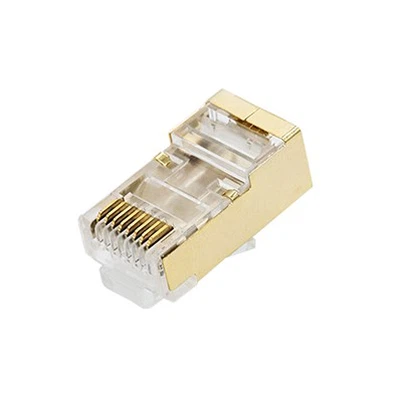
Poorly Made RJ45 Connectors
After completing a surveillance project, one camera does not display, while others are fine.

Improper Use of Core Switches
A friend asks about a newly installed 200-camera surveillance system where many cameras intermittently do not display.
So, what do we do now?
We decided to batch ping the monitored IP addresses.
Use the following batch ping command: for /L %D in (1,1,255) do ping 10.168.1.%D

When you input the batch command, it automatically pings all IP addresses within the subnet until it completes. The (1,1,255) in the code specifies the range from 1 to 255, meaning it checks all IPs from 10.168.1.1 to 10.168.1.255, incrementing by 1 each time, until all 255 IPs are checked.
After running the command, we found that some IPs were unreachable, so we needed to check the switch.
First, we asked about the brand of the switch. It was a commonly used home brand, which is not suitable for a 200-camera surveillance project. For such projects, switches from brands like Huawei, H3C, and Ruijie are more appropriate.
In addition to backplane bandwidth and packet forwarding rate, core switches should also be evaluated based on their scalability, virtualization capabilities, link aggregation, redundancy, and stacking features, as these parameters affect the stability of the network system.
III. Intermittent Images
Intermittent Images
Infrared Cameras Work Normally During the Day but Fail at Night
This is due to insufficient power or PoE switch wattage. Infrared cameras operate like regular cameras during the day but require more current at night when the infrared lights are on, exceeding the load.