Detailed Explanation of the Technology Advantages and Troubleshooting Steps of Industrial Switches
Leave a message
Those who have worked in the industrial field are familiar with industrial switches, also known as industrial Ethernet switches. Industrial switches are specifically designed for flexible and diverse industrial application needs and provide a cost-effective industrial Ethernet communication solution. Therefore, industrial switches are very popular in the industry. Among them, there are differences between single-ring and multi-ring loops, as well as private loop protocols designed by various industrial switch manufacturers based on STP and RSTP. So, let's follow the editor to learn more about the core technology advantages and troubleshooting steps of industrial switches!

Industrial switches have the following advantages:
1.1 Zero self-healing ring network technology, realizing high reliability and integrity of data transmission.
Before this, the fastest self-healing time for global industrial switches was 20 milliseconds. However, no matter how short the self-healing time of the ring network is, it will inevitably cause data packet loss during the switching period, which is unacceptable in the control command layer. Zero self-healing undoubtedly achieves a breakthrough in existing technology, ensuring high reliability and integrity of data.
Industrial switches ensure uninterrupted control of data transmission by ensuring that there is always a direction that can reach the destination when the network fails through the bidirectional data flow.
1.2 Bus-type network, realizing the integration of network and cable.
The bus-type network allows users to customize controlled devices and regard devices with the same virtual MAC terminal as the same device. The switch regards the controlled devices as the same device, enabling these devices to interconnect, share information, and ensure linkage control.
Industrial switches support multiple bus protocols and I/O interfaces to realize the network of bus data. Instead of the traditional point-to-point mode, the resource utilization of the network and bus is maximized. This achieves flexible network configuration, directly connects field devices such as instruments and industrial cameras, and allows PLCs to connect to I/O devices that are farther away, greatly reducing the number of PLCs in the entire system and significantly reducing the cost of system integration. In addition, industrial switches can also be integrated into network monitoring software through Web and SNMPOPCServer to monitor node status in real-time and have a fault alarm function, facilitating remote maintenance and management.

1.3 Fast and real-time.
Industrial switches have data priority characteristics, allowing users to customize certain devices as fast data devices. When fast data appears in the ring network, ordinary data will make way for fast data. This avoids the situation where traditional switches cannot be applied to the control command layer due to data delay.
1.4 Independent and controllable design.
Industrial switches are independently developed products with product intellectual property rights. Their core software/hardware, products, and services are independently controllable and can basically ensure that there are no malicious backdoors and can continuously improve or patch vulnerabilities.
Although industrial switches have telecommunications-grade performance characteristics and can withstand harsh working environments, it is inevitable that problems will occur during their operation. When industrial switches fail, they should be dealt with quickly, the fault point should be identified as soon as possible, and the fault should be eliminated. When encountering complex fault analysis, simple operations or configurations must be used to start troubleshooting first, which can speed up the fault identification process and improve efficiency. Next, let me share the troubleshooting steps for industrial switches with everyone!

Troubleshooting Steps for Industrial Ethernet Switch Faults
Troubleshooting Step 1: Power Supply Fault
An unstable external power supply, aging power lines, or lightning strikes can cause power failure or fan failure, resulting in the industrial switch not functioning properly. Power-related damage to other components inside the switch can also cause problems. If the POWER indicator on the industrial switch panel is green, it means that the power supply is normal; if the indicator is off, it means that the industrial switch is not receiving power. This type of problem is easy to identify, solve, and prevent. To address such failures, the external power supply should be ensured first, usually by introducing an independent power line and adding a voltage stabilizer to avoid momentary high or low voltage. If conditions permit, an uninterrupted power supply (UPS) can be added to ensure the normal power supply of the industrial switch. Some UPS provide voltage stabilization functions, while others do not, so attention should be paid when choosing. Professional lightning protection measures can be set up in the equipment room to avoid lightning damage to the industrial switch. There are many professional companies that specialize in lightning protection engineering, which can be considered during network cabling.
Troubleshooting Step 2: Port Fault
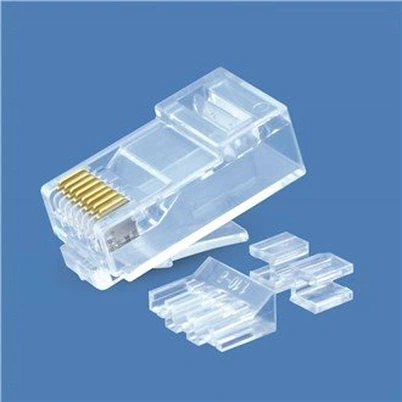
This is the most common hardware failure. Whether it is a fiber interface or an RJ-45 interface of twisted pair, be careful when plugging and unplugging connectors. If the fiber connector is accidentally contaminated, it may cause the fiber interface to be contaminated and unable to communicate properly. We often see many people like to plug and unplug connectors with electricity, which is theoretically possible, but this also inadvertently increases the failure rate of the interface. Carelessness during transportation may also cause physical damage to the interface. If the purchased crystal head size is too large and inserted into the industrial switch, it can also easily damage the interface. In addition, if a section of the twisted pair connected to the interface is exposed outdoors, if this cable is struck by lightning, it will cause the connected industrial switch interface to be damaged or cause more unpredictable damage. Generally, interface failures are caused by one or several damaged interfaces. Therefore, after ruling out the computer connected to the interface failure, the interface can be replaced to determine if it is damaged. In case of such failures, the port can be cleaned with an alcoholic cotton ball after the power is turned off. If the interface is indeed damaged, it can only be replaced.
Troubleshooting Step 3: Module Failure
Industrial switches are composed of many modules, such as stacking modules, management modules (also known as control modules), and expansion modules. The chances of these modules failing are small, but once a problem occurs, it can cause significant economic losses. Accidental module insertion or removal, collisions during switch transportation, or unstable power supply can all lead to such failures. Of course, these three modules mentioned above have external interfaces, which are relatively easy to identify. Some modules can even be identified by the indicator lights on them. For example, the stacking module has a flat trapezoidal port, or on some switches, it is a USB-like interface.
The management module has a CONSOLE port for establishing a connection with a network management computer for easy management. If the expansion module is connected by fiber optic, there will be a pair of fiber optic interfaces. When troubleshooting such failures, first ensure that the switch and module have a normal power supply, then check whether each module is plugged into the correct position, and finally check whether the cables connecting the modules are normal. When connecting to the management module, factors such as the prescribed connection speed, parity check, and data flow control should also be considered. When connecting to the expansion module, it is necessary to check whether the communication modes match, such as using full-duplex mode or half-duplex mode. Of course, if it is confirmed that a module has failed, the only solution is to immediately contact the supplier for replacement.
Troubleshooting Step 4: Backplane Failure
Each module of an industrial switch is plugged into the backplane. If the environment is humid, the circuit board may be shorted due to moisture, or the components may be damaged due to factors such as high temperature or lightning, causing the circuit board not to function properly. For example, poor heat dissipation or high ambient temperature may cause the temperature inside the machine to rise, resulting in component burnout. Under the condition of a normal external power supply, if none of the internal modules of the switch can work properly, it may be that the backplane is faulty. In this case, even electrical maintenance engineers may have no solution but to replace the backplane.
Troubleshooting Step 5: External Factors
Due to the existence of viruses or hacker attacks, for example, a host may send a large number of data packets that do not conform to the encapsulation rules to the connected port, causing the industrial switch's processor to be overly busy, resulting in packet loss due to buffer overflow. Another case is a broadcast storm, which not only occupies a large amount of network bandwidth but also consumes a lot of CPU processing time. If the network is occupied by a large number of broadcast data packets for a long time, normal point-to-point communication cannot be carried out, and the network speed will slow down or even collapse. A faulty network card or port can also cause a broadcast storm. Since industrial switches can only divide collision domains, but not broadcast domains (in the absence of VLAN segmentation), when the number of broadcast packets accounts for 30% of the total communication volume, the transmission efficiency of the network will significantly decrease.
Step 6: Improper Configuration
Beginners may not be familiar with industrial switches, or due to different configurations of various industrial switches, administrators often make configuration errors when configuring industrial switches. For example, incorrect VLAN partitioning can cause network unavailability, ports being wrongly closed, mode configurations of industrial switches and network cards not matching, etc. Such faults are sometimes difficult to detect and require some experience. If you cannot confirm that the user's configuration is the problem, restore the factory default settings first, then configure them step by step. It is best to read the manual before configuration, which is also one of the habits that network managers should develop. Each industrial switch has a detailed installation manual and user manual, with detailed explanations for each type of module.
Step 7: System Errors
The industrial switch system is a combination of hardware and software. There is a refreshable read-only memory inside the industrial switch, which stores the necessary software system for this industrial switch. Such errors are similar to those commonly seen in Windows and Linux. Due to design reasons, there are some vulnerabilities that, under suitable conditions, can cause industrial switches to become overloaded, drop packets, send wrong packets, etc. Therefore, the industrial switch system provides methods such as Web and FTP to download and update the system. Of course, errors may also occur during system upgrades. For such problems, we need to develop the habit of regularly browsing the device manufacturer's website. If there are new systems or patches available, please update them in a timely manner.
Step 8: Cable Faults
In theory, such faults do not belong to the faults of industrial switches themselves. However, in actual use, cable faults often cause industrial switch systems or ports to malfunction, so we also classify such faults as hardware faults of industrial switches. For example, loose connectors, incorrect or non-standard sequence arrangements during cable production, using straight-through cables instead of crossover cables when connecting cables, cross-connecting two fibers in the optical cable, and incorrect line connections causing network loops, etc.
From the above hardware faults, it can be seen that a poor data center environment can easily lead to various hardware faults. Therefore, when building a data center, we must first do a good job of lightning protection, grounding and power supply, indoor temperature and humidity, anti-electromagnetic interference, anti-static, and other environmental construction to provide a good environment for the normal operation of the network equipment.