Network Rack And Server Cabinets
Jul 08, 2023
Leave a message
If you work with servers or data centers, concepts like "1U," "2U," and "rack" are definitely familiar to you.
Choosing the right hosting, purchasing servers, or renting and using server cabinets is as important as selecting suitable furniture for your own home.
We need to consider the size of the equipment, the quantity, and future expansion needs.
In this article, let's start with a comprehensive introduction to racks, cabinets, and U, and then discuss the key points for purchasing hardware.
1. What is a rack?
A rack is a special structure used for installing servers.
It is usually placed inside a standard server cabinet, also known as a "19-inch" rack because it conforms to this width standard.
The main purpose of a rack is to provide a well-organized, reliable, and secure installation environment for servers.
It has the appropriate dimensions to accommodate various types of servers and ensure they receive proper power supply and ventilation.
Imagine a rack as a room with shelves of different sizes and shapes to hold different items.
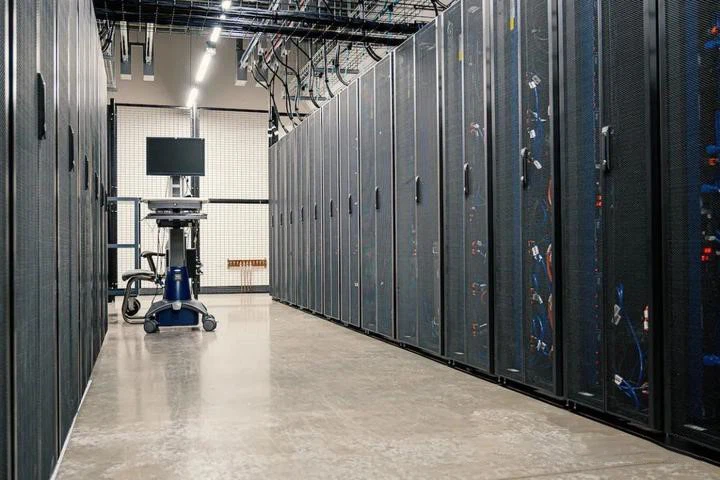
In a rack, each server has its own position, just like items on the supermarket's shelves.
Racks also have some special designs, such as adjustable brackets and trays, which facilitate the installation, disassembly, and maintenance of servers.
The benefits of using racks are that they help us organize and manage server equipment better.
By placing servers in racks, they can be stored more securely and are easier to maintain and manage.
Additionally, racks provide proper heat dissipation and cable management systems to ensure servers operate in optimal conditions.
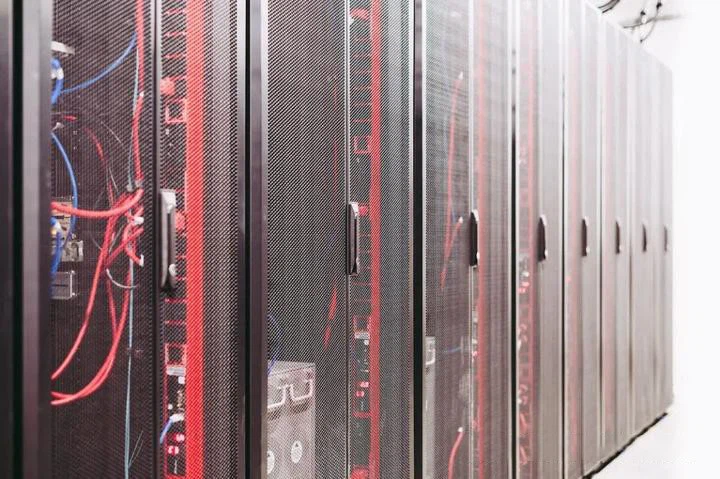
In summary, a rack is a specialized architecture designed for servers and can be placed inside a standard server cabinet.
It provides a neat, reliable, and secure environment for us to install and manage server equipment.
This allows us to utilize servers more effectively and ensure their proper operation.
2. Rack ≠ Cabinet
Network Rack and cabinet are actually two different concepts.
A rack provides vertical installation space and structural support for equipment.
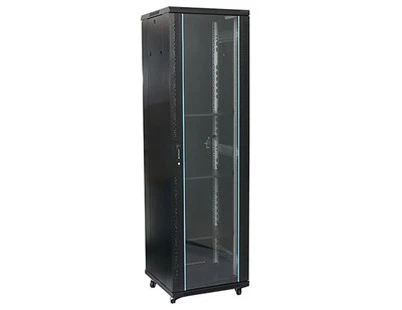
A cabinet, on the other hand, provides more comprehensive functions, including physical protection, cooling, and power management.
The rack is the framework structure inside the cabinet used to support equipment installation.
A cabinet is a complete container that includes the rack and other components for storing and managing equipment.
It can be used in various places such as network cabling rooms, floor distribution rooms, server rooms, data centers, etc.

The height of a cabinet is measured in a special unit called "U."
Each U has a height of approximately 4.45 centimeters (about 1.75 inches).
We can imagine U as the vertical space available inside the cabinet.
The devices in the cabinet, such as servers and network equipment, typically have standard panel sizes manufactured according to the number of U.
Non-standard devices can also be accommodated in a 19-inch cabinet by adding adapter plates.
Common heights for cabinets include 42U, as well as other height specifications such as 47U, 37U, 32U, 20U, 12U, and 6U.
Cabinets provide a neat and secure environment for us to manage and install equipment.
Different heights of cabinets can be chosen to meet the installation requirements of different equipment.
3. What is "U"?
Let's talk specifically about the "U" mentioned earlier.
U is a unit used to represent the external dimensions of servers and is an abbreviation of "unit."
The height of a rack is usually expressed in "U," with each U measuring 1.75 inches (44.45 millimeters) in height.
Common rack heights include 1U, 2U, 4U, and larger racks can have more U.

In rack-mounted server sizes, the common ones are 1U servers, 2U servers, and 4U servers.
The dimensions of these servers are as follows:
1U = 4.445 centimeters
2U = 4.445 * 2 = 8.89 centimeters
4U = 4.445 * 4 = 17.78 centimeters.
In practice, 1U or 2U servers are most commonly used.
Service providers calculate fees based on the space occupied by servers, so using 1U servers is the most space-saving and cost-effective option.
However, 2U servers have better expandability than 1U servers.
A 1U server can accommodate up to 4 3.5-inch hard drives, while a 2U server can accommodate 8 or more. Additionally, the number of PCI slots also varies, with 1U servers having a maximum of 2 slots, while 2U servers can have up to 6.
3.1 Standard operator cabinets are generally 42U cabinets, Cabinets can also be classified by the following 2 methods:
A. Differentiated by width and depth:
Width options include 600mm and 800mm wide 42U cabinets.
Depth options include 600mm, 800mm, 900mm, 960mm, 1000mm, 1100mm, 1200mm, etc.

B. Customized based on specific needs:
In addition to the standard 42U size, the width and depth of a cabinet can be customized according to specific requirements.
The number of servers a cabinet can accommodate is limited. A 42U cabinet does not necessarily mean it can hold 42 1U servers.
Space needs to be reserved for heat dissipation, movement, wiring, as well as space for switches, firewalls, monitors, and other devices.
The number of servers that can be accommodated in a 42U cabinet depends on the specific equipment.

Now, let me provide you with an example diagram of the equipment layout in a 42U cabinet.
So, the question arises, how many servers are typically deployed in a cabinet?
The number of servers deployed in a cabinet depends on various parameters, such as the size, power consumption, and heat generation of the servers.
Factors such as power supply, cooling, and load capacity of the cabinet also need to be considered when determining the number of servers that can be deployed.
3.2 Some key parameters that need to be considered are:
1. Reserve space: Leave 1U space between each device for heat dissipation, reserve space for switches, and consider the position of power distribution units (PDUs).
2. Typically provide a redundant 10KW power supply and have a static load-bearing capacity of no less than 1200kg (determined based on data center construction parameters).
3. Without exceeding power limits, the cumulative number of U occupied by devices in a cabinet generally does not exceed 26U. The number of 1U devices typically does not exceed 16, 2U devices do not exceed 12, and 4U devices range from 4 to 7.
4. Choosing the Right Racks and Cabinets for Your Data Center
With the continuous growth of IT business demands, predicting IT loads has become increasingly challenging.
As you can perceive, even with the increasing power of each rack, data center density can be improved by reducing the daily expenses of equipment.
However, the complexity of the data center ecosystem increases with density.
You need a well-designed and comprehensive infrastructure to achieve efficient management and flexibility.
Racks and cabinets, which constitute the foundation of the data center infrastructure, should be the starting point for any high-density data center strategy.
4.1 Pay Attention to Rack Rated Load
As the number of devices in a rack increases, the rated load of the rack becomes crucial.
Cabinets connected to the data center should have a static rated load of at least 3000 pounds.

The rolling rated load can tell you the weight the rack can bear when it is being moved.
If the equipment is deployed at the rack level, meaning it is assembled and delivered to your site by a system integrator, you need to check the transportation rated load.
All rated loads should be tested and verified by a reputable third-party laboratory.
4.2 How Should the Space of the Cabinet be Set?
The space of the cabinet is another important consideration.
While you expand the space of the data center as much as possible, the cabinet should still be wider and deeper than the equipment it will house.
Provide space for PDUs, cable management, and other accessories while also leaving room for airflow circulation.

The sides of the server cabinet should have fixed racks for placing PDUs and cable management equipment.
Fixed brackets should be installed in the front and back of the network equipment cabinet for cable insertion and other connections, including internal cable management.
4.3 Creating an Optimal Environment for Equipment is Key
Suitable racks and cabinets should provide cooling and airflow management to ensure the optimal environment for equipment while controlling power consumption.
The larger the heat load, the more elevated perforations are needed to maximize gas flow.

The cabinet should be compatible with a closed-loop hot or cold aisle containment system, providing baffle panels to ensure proper airflow around the equipment.
Consider rack-based cooling, which creates a fully enclosed system, providing the shortest possible airflow path to reach the equipment.
4.4 How to Implement Access Control?
Cabinet-level access control complements data center security measures.
Locked doors provide the most basic protection, but network electronic access control offers a range of benefits.
In addition to preventing unauthorized access, these systems can audit and track all access attempts for compliance and emergency response.
An interconnected system should be able to control and manage all cabinet access from a network interface.

Finally, finding a solution provider like COBTEL that can meet various requirements for racks and cabinets is crucial.
It is best to simplify the installation process, accelerate deployment, ensure compatibility among various components of the data center infrastructure, provide customized solutions, and offer consulting, design, and implementation services.